
Use the Technology–Well-being Pathway Map to connect a technology change with work changes, well-being effects and a strategy response.
Tool Overview: Technology–Well-being Pathway Map
Purpose
Use this map to understand how a future technology or strategy may affect well-being by changing work demands, work resources, and people’s sense of control and support.
Why this tool is useful?
It helps you move from:
a general concern (“This may affect well-being”)
to:
a clearer pathway (“This change increases pressure here, reduces control here, and needs this response.”)
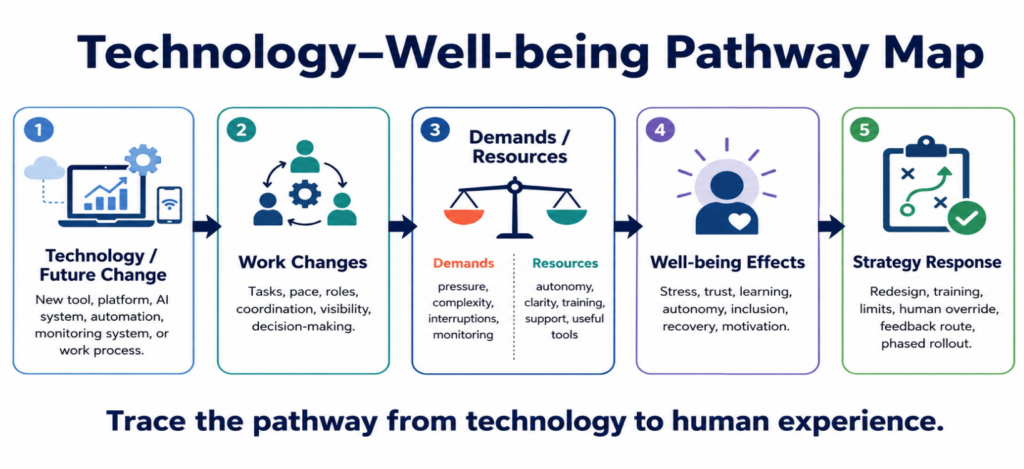
How to Use the Map
Step 1 — Name the future change
- Example: a new digital platform, AI tool, automation process, remote monitoring system, or service redesign.
Step 2 — Identify work changes
- Does it change speed, workload, coordination, visibility, monitoring, or task variety?
Step 3 — Check demands and resources
- Does it add pressure? Does it remove or improve control, clarity, training, or support?
Step 4 — Identify likely well-being effects
- Could it increase stress, improve clarity, reduce autonomy, improve confidence, or create exclusion?
Step 5 — Decide the strategy response
- What should be redesigned before implementation?
Examples: training; human override; alert limits; role clarification; feedback channels; phased rollout; non-digital alternative.
The maintenance-company example shows how the tool works in practice.
Example 1: Digital Task-Management Platform
Scenario:
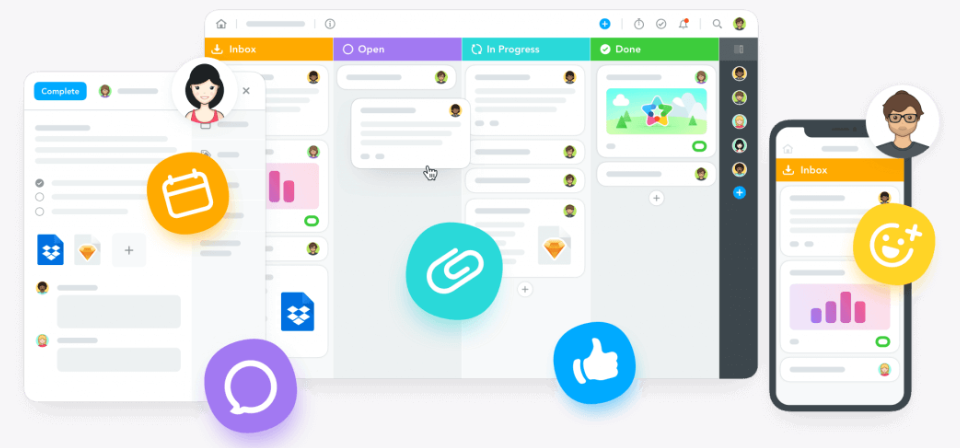
A small maintenance company introduces a digital task-management platform.
The platform:
- assigns jobs automatically;
- sends reminders and alerts;
- tracks completion times;
- shows managers a live dashboard of delays and performance.
Why the company wants it
- fewer missed tasks;
- better planning;
- faster response times;
- less manual coordination;
- clearer overview for managers.
Apply the Map: From Technology to Work Change
Technology / Future Change
Digital task-management platform with live dashboard and alerts.
Changes in Work
- Jobs are assigned more quickly.
- Workers receive more alerts.
- Managers can see delays in real time.
- Informal coordination may decrease.
- Work may become more visible and more tightly timed.
Demands
- faster pace;
- more interruptions;
- more pressure to respond immediately;
- less room to absorb unexpected delays.
Resources
- clearer task visibility
- less confusion about what to do next;
- better overview for planning.
Key insight
The same tool may improve clarity and increase pressure.
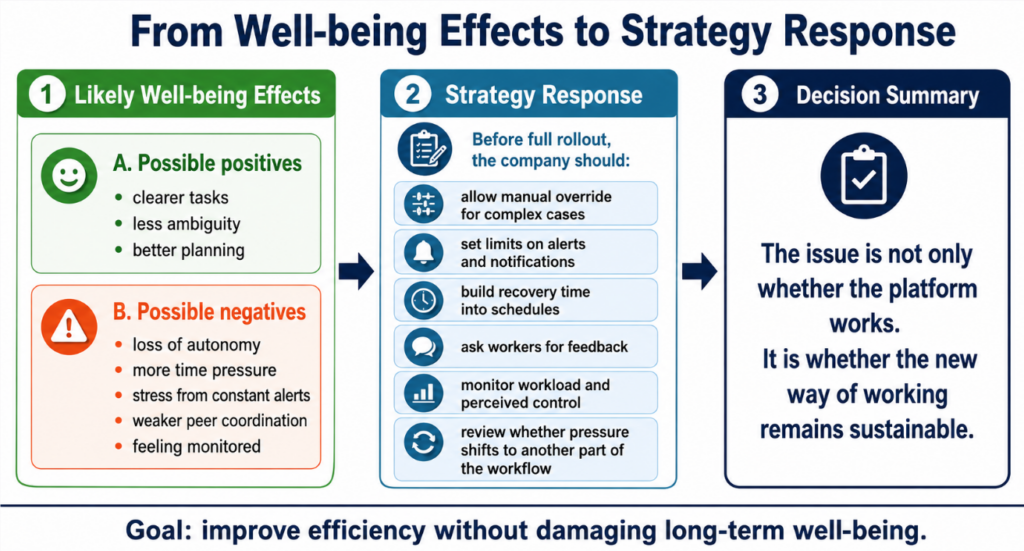
Likely well-being effects
Possible positives
- clearer tasks;
- less ambiguity;
- better planning.
Possible negatives
- loss of autonomy;
- more time pressure;
- stress from constant alerts;
- weaker peer coordination;
- feeling monitored.
Strategy response
Before full rollout, the company should:
- allow manual override for complex cases;
- set limits on alerts and notifications;
- build recovery time into schedules;
- ask workers for feedback;
- monitor workload and perceived control;
- review whether pressure shifts to another part of the workflow.
Decision summary
The issue is not only whether the platform works. It is whether the new way of working remains sustainable.
The map identifies a response; an action plan makes it happen. Next, distinguish what you can do personally from what needs organisational support.